Redesigned client management
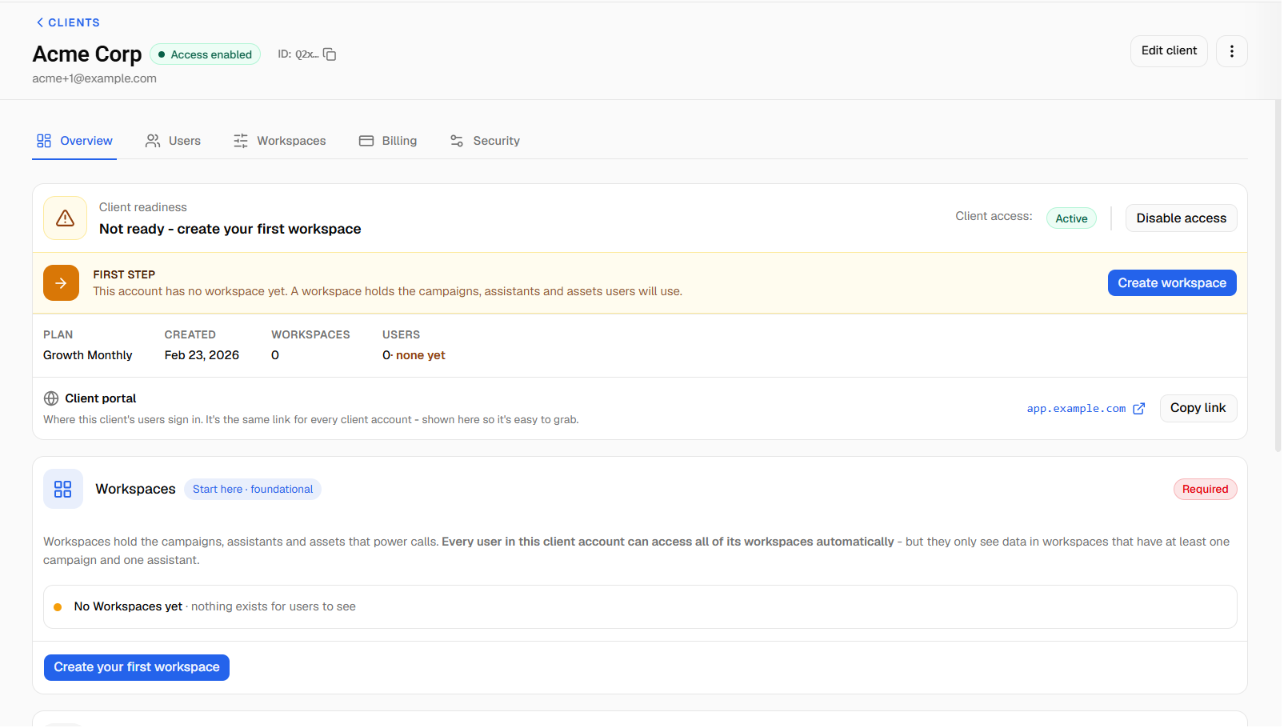
Managing your clients is now clearer and faster, with redesigned screens for client accounts, workspaces, users, and security.
What's new
Client list. See all your clients in a single, smooth-scrolling list showing name, contact email, type, and status. Search and filter to find clients quickly, and add a new client from a simple side-panel form.
Client overview. Each client opens to an overview showing their setup readiness, billing status, and security status, with quick links into the other tabs.
Workspaces. Manage the workspaces assigned to a client: create, edit, and remove them, and see their voice providers and assigned resources. (The "Client Account Configuration" tab is now simply "Workspaces.")
Users. Add client portal users by email invite or manual setup, edit accounts, and manage pending invitations and resource access.
Security. For plans with IP access control, turn on IP allow/block rules per client, add rules with descriptions, and add your current IP to the allow list in one click, with a warning if you're about to lock yourself out.
Billing. View the client's plan and status, manage their usage packs, and send one-time payment requests.