Smart "Do Not Call" for outbound campaigns
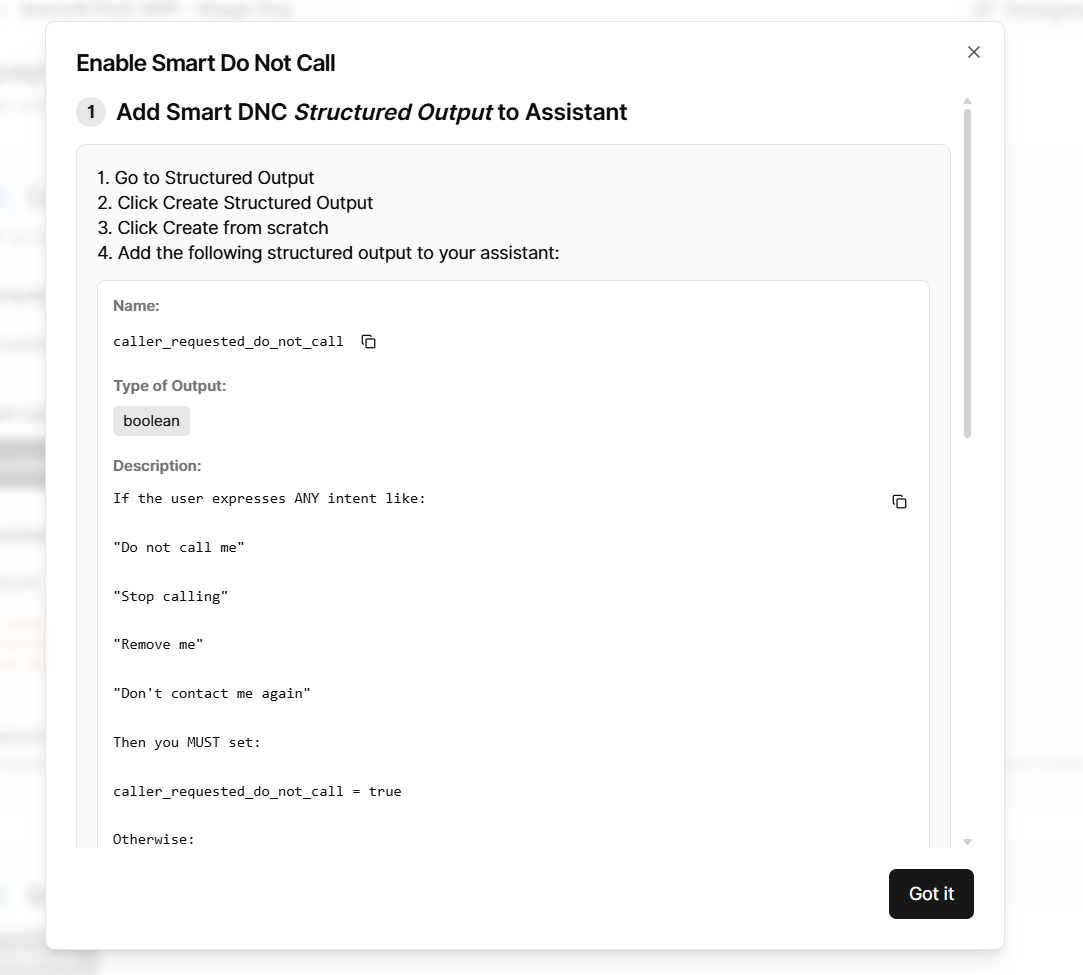
Smart Do Not Call (Smart DNC) is now available for outbound campaigns. When a lead says they don't want to be called again, the campaign detects it and marks that lead so it is excluded from future outreach automatically.
How it works
After each call ends, your agent reports whether the caller asked not to be contacted again. The product reads that field, and if it is set to true, marks the lead as DNC. That lead will be skipped in future campaign runs.
No changes to calling logic are needed on your end — the setup is entirely on the agent side.
Supported providers
Vapi, Retell, ElevenLabs, Bolna
What you need to set up
Step 1 — Add a post-call field to your agent
Add a boolean field named caller_requested_do_not_call to your agent's post-call analysis. Where you add it depends on your provider:
Field details to use:
Name / Identifier:
caller_requested_do_not_callType:
booleanDescription:
Whether user asked not to be called again
For Bolna, you also need two pre-defined answers:
true— user explicitly asks not to be contacted again (e.g. "don't call again", "stop calling", "remove me")false— user does not express any request to stop contact
Step 2 — Update your agent prompt
Add instructions so the agent recognises do-not-call intent and responds correctly. Example:
"If the caller says they do not want to be called again, asks to be removed, or asks you to stop calling, respond respectfully, confirm you will honor their request, and end the conversation without pushback. Treat phrases like 'don't call me,' 'remove me,' and 'stop calling' as explicit do-not-call requests."
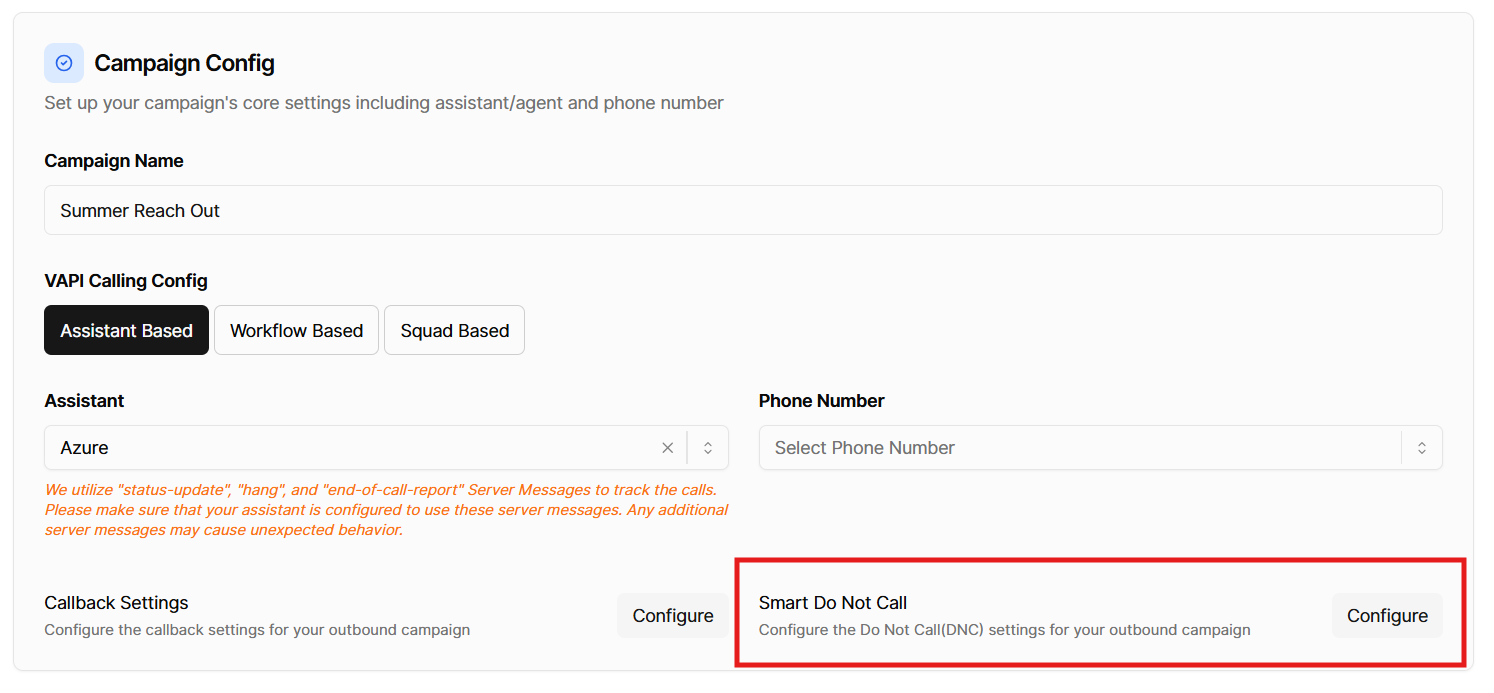
Where to find it
Campaign Settings → outbound campaign → Smart Do Not Call → Configure. The Configure dialog shows the exact field name, type, description, and per-provider setup steps with copy buttons.