A redesigned app experience
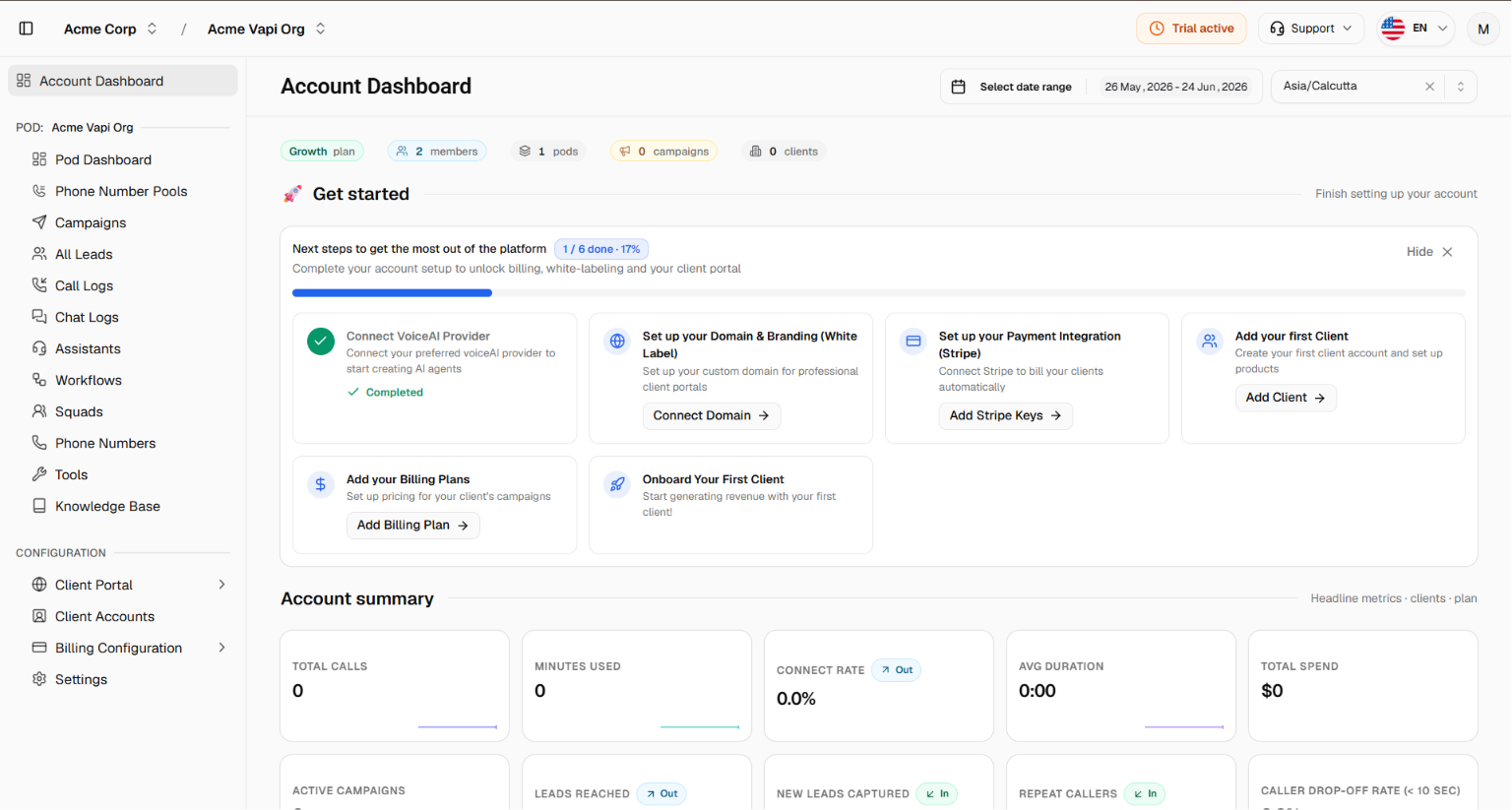
We've rebuilt the core of the app around a new sidebar-and-header layout. Everything is now easier to find, switching between organisations and pods is quicker, and the interface adapts to mobile and tablet screens.
What's new
New left sidebar navigation. All your sections (dashboards, campaigns, leads, call logs, chat logs, assistants, phone numbers, knowledge base, and configuration) now live in a single sidebar. It can collapse to icons to give you more room, and on phones and tablets it opens as a slide-in menu.
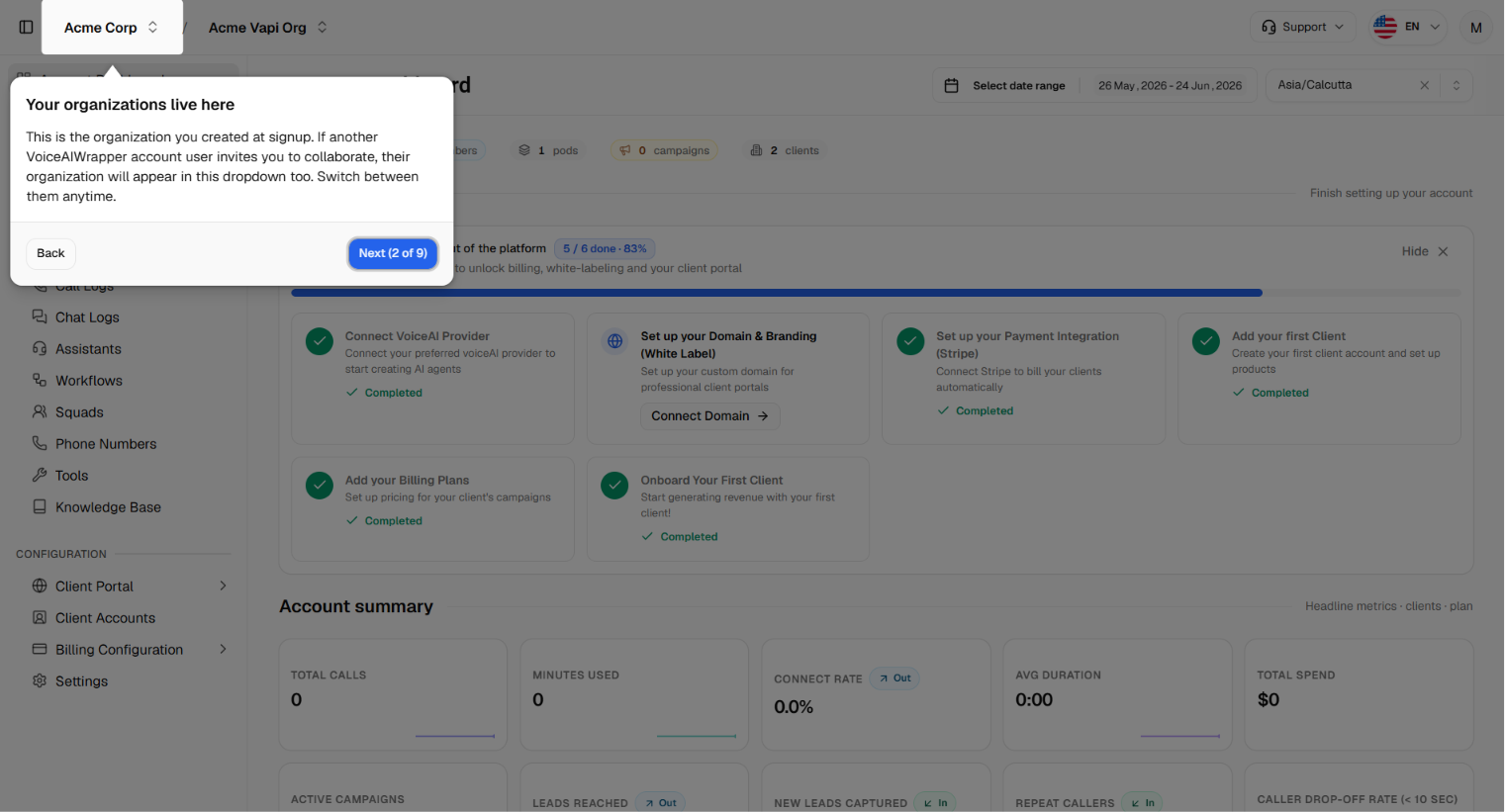
Organisation switcher in the header. Switch between the organisations you belong to, see your current plan, accept or decline pending invitations, and jump straight to settings or billing, all from one menu.
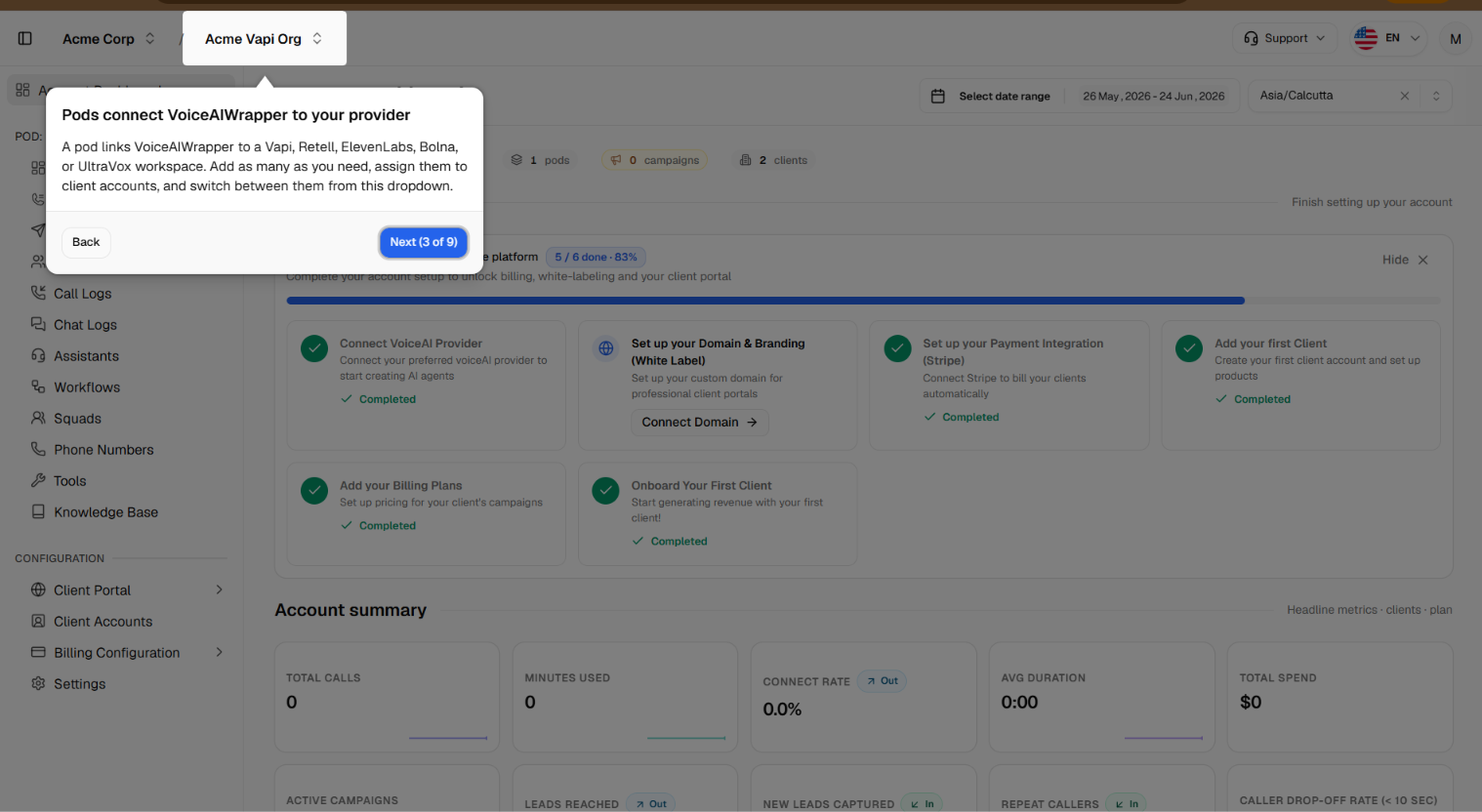
Pod switcher in the header. Move between your connected VoiceAI pods without losing your place (for example, you stay on Call Logs when you switch). Each pod shows its voice provider and concurrency limits, and you can add, edit, or remove pods from here.
Account status at a glance. A setup-progress indicator shows how far along your account setup is, and a trial countdown appears while you're on a trial (changing colour as your end date approaches).
Quick access to support and language. A support menu (help chat, help videos, book a call, changelog) and a language selector are always available in the header.
Profile menu with dark mode. Open your profile menu for quick access to your profile, sign-out, and a dark-mode toggle.
Guided tour. First-time users get a short walkthrough pointing out the new navigation, switchers, and key controls.
Faster on every device. The layout is fully responsive, so the app stays usable on smaller screens.